Introduction
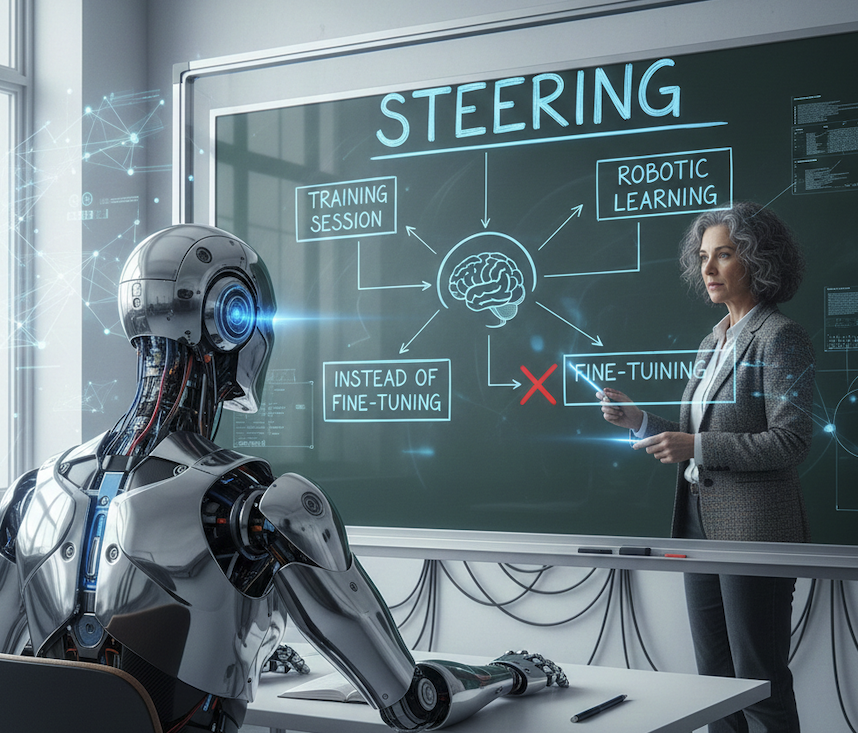
The landscape of artificial intelligence (AI) is rapidly evolving, driven by the need for more flexible and efficient ways to manage and enhance AI models. Traditional fine-tuning, while effective, comes with significant computational costs, time investments, and risks of catastrophic forgetting. Enter activation steering—an advanced technique that offers a lightweight, runtime-adjustable method to guide AI models without the heavy costs associated with fine-tuning.
This comprehensive guide explores activation steering from multiple angles: its mathematical foundations, practical implementation details, real-world applications, and a detailed comparison with fine-tuning. Whether you're a researcher, engineer, or AI enthusiast, you'll gain deep insights into how this revolutionary technique works and when to use it.
Key Insight: Activation steering allows you to modify AI behavior at inference time without retraining, making it ideal for dynamic applications where adaptability is crucial.
Understanding Fine-Tuning: The Traditional Approach
What is Fine-Tuning?
Fine-tuning is a process where a pre-trained large language model (LLM) is further trained on specific datasets to improve performance for particular tasks. This approach leverages the existing knowledge of the model while adjusting its parameters to better suit task-specific requirements such as sentiment analysis, medical diagnosis, or code generation.
Fine-Tuning Methods and Tools
The AI community has developed several efficient fine-tuning techniques:
- Full Fine-Tuning: Updates all model parameters, requiring significant computational resources (often 100+ GB GPU memory for large models).
- Parameter-Efficient Fine-Tuning (PEFT): Methods like Low-Rank Adaptation (LoRA), which add trainable low-rank matrices to attention layers, reducing trainable parameters by 99%.
- Adapter Layers: Small neural network modules inserted between transformer layers, allowing task-specific adaptation without modifying core weights.
- Prompt Tuning: Learns soft prompts (continuous embeddings) instead of discrete text prompts.
Common Fine-Tuning Platforms
- Hugging Face Transformers: Provides comprehensive PEFT implementations including LoRA, Prefix Tuning, and P-Tuning v2.
- OpenAI Fine-Tuning API: Offers managed fine-tuning for GPT models with automatic hyperparameter optimization.
- Google Cloud Vertex AI: Supports scalable deployments of fine-tuned models with built-in monitoring and versioning.
- Weights & Biases (W&B): Experiment tracking and hyperparameter optimization for fine-tuning workflows.
Limitations of Fine-Tuning
Despite its effectiveness, fine-tuning has significant drawbacks:
- Computational Cost: Requires substantial GPU resources (often $100-1000+ per fine-tuning run for large models).
- Time Investment: Training can take hours to days, even with efficient methods.
- Catastrophic Forgetting: Models may forget important base knowledge when trained on new data.
- Inflexibility: Once fine-tuned, behavior changes require retraining.
- Storage Overhead: Each fine-tuned variant requires storing full model weights.
- Domain Overfitting: Models may become too specialized, losing general capabilities.
Real-World Example: A company fine-tuning GPT-3.5 for customer support spent $2,400 on compute costs and 3 days training time. When they needed to adjust the tone to be more formal, they had to retrain from scratch, incurring the same costs again.
Activation Steering: The Modern Alternative
What is Activation Steering?
Activation steering, also known as representation engineering, is a method that intervenes in a model's internal activations by adding steering vectors derived from contrastive examples. These vectors are computed from pairs of examples showing desired vs. undesired behaviors and are added to the residual stream during inference time.
This technique was pioneered by Anthropic in models like Claude, where it steers outputs towards desired traits such as reduced bias, enhanced reasoning, or specific communication styles—all without modifying the model's core weights.
Mathematical Foundation
At its core, activation steering operates on the principle of vector addition in the model's activation space:
# Mathematical representation
steered_activation[l] = original_activation[l] + α × steering_vector[l]

Where:
- l = layer index
- α = steering strength (scalar coefficient, typically 0.1-2.0)
- steering_vector[l] = direction vector computed from contrastive examples
The steering vector is computed as:
steering_vector = mean(desired_activations) - mean(undesired_activations)

This creates a direction in activation space that moves the model
toward desired behaviors and away from undesired ones.
Key Concepts Explained
1. Contrastive Examples
Contrastive examples are pairs of inputs that illustrate desired versus undesired behaviors. For example:
- Desired: "I understand your concern. Let me help you resolve this issue step by step."
- Undesired: "I can't help with that. Contact support."
By collecting many such pairs and computing the difference in their activations, we create a steering vector that guides the model toward helpful responses.
2. Steering Vectors
Steering vectors are high-dimensional vectors (typically matching the model's hidden dimension, e.g., 4096 for GPT-3) that represent a direction in activation space. When added to activations, they shift the model's behavior without changing its weights.
3. Residual Stream Intervention
In transformer architectures, the residual stream carries information through layers. By injecting steering vectors into this stream at specific layers, we can influence how information flows and transforms, affecting the final output.
Why It Works: Unlike prompts (external guidance) or fine-tuning (weight modification), steering operates at the internal representation level, allowing more precise and reliable control over model behavior.
Detailed Comparison: Fine-Tuning vs. Activation Steering
| Aspect |
Fine-Tuning |
Activation Steering |
| Computational Cost |
High ($100-1000+ per run) |
Minimal (computed once, applied at inference) |
| Time to Deploy |
Hours to days |
Minutes (vector computation) |
| Model Modification |
Changes weights permanently |
No weight changes (runtime intervention) |
| Reversibility |
Requires retraining to undo |
Toggle on/off per query |
| Storage Requirements |
Full model copy per variant |
Small vector files (KB-MB) |
| Catastrophic Forgetting |
High risk |
No risk (weights unchanged) |
| Multi-Task Support |
Separate model per task |
Single model, multiple vectors |
| Granularity |
Broad behavior changes |
Precise, targeted adjustments |
| Best Use Case |
Major domain adaptation |
Behavioral tweaks, style control |
Practical Implementation Guide
Step 1: Collecting Contrastive Examples
Start by gathering pairs of examples that clearly demonstrate desired vs. undesired behaviors. Quality matters more than quantity—50-100 well-chosen pairs often outperform 1000+ random examples.
# Example: Collecting contrastive examples for helpfulness
contrastive_examples = {
    "helpful": [
        "I understand your concern. Let me break this down into steps...",
        "That's a great question! Here's what you need to know...",
        "I can help with that. First, let's check..."
    ],
    "unhelpful": [
        "I don't know.",
        "That's not my problem.",
        "Can't help with that."
    ]
}
Step 2: Computing Steering Vectors
Pass your contrastive examples through the model and extract activations at your target layer(s). Compute the steering vector as the difference between mean activations.
import torch
import torch.nn.functional as F
from transformers import AutoModel, AutoTokenizer

class SteeringVectorComputer:
    def __init__(self, model_name="gpt2", layer_idx=10):
        self.model = AutoModel.from_pretrained(model_name)
        self.tokenizer = AutoTokenizer.from_pretrained(model_name)
        self.layer_idx = layer_idx
        self.activations = []

    def extract_activations(self, texts, desired=True):
        """Extract activations from a list of texts"""
        activations_list = []

        for text in texts:
            inputs = self.tokenizer(text, return_tensors="pt")

            # Hook to capture activations
            def hook_fn(module, input, output):
                self.activations.append(output[0].detach())

            # Register hook at target layer
            handle = self.model.transformer.h[self.layer_idx].register_forward_hook(hook_fn)

            with torch.no_grad():
                _ = self.model(**inputs)

            handle.remove()
            activations_list.append(self.activations[-1])
            self.activations.clear()

        return torch.stack(activations_list)

    def compute_steering_vector(self, helpful_texts, unhelpful_texts):
        """Compute steering vector from contrastive examples"""
        helpful_activations = self.extract_activations(helpful_texts, desired=True)
        unhelpful_activations = self.extract_activations(unhelpful_texts, desired=False)

        # Compute mean activations
        helpful_mean = helpful_activations.mean(dim=0)
        unhelpful_mean = unhelpful_activations.mean(dim=0)

        # Steering vector is the difference
        steering_vector = helpful_mean - unhelpful_mean

        return steering_vector

# Usage
computer = SteeringVectorComputer(model_name="gpt2", layer_idx=10)
steering_vector = computer.compute_steering_vector(
    helpful_texts=["Helpful response 1", "Helpful response 2"],
    unhelpful_texts=["Unhelpful response 1", "Unhelpful response 2"]
)

# Save steering vector
torch.save(steering_vector, "helpfulness_steering_vector.pt")
Step 3: Applying Steering at Inference
Modify your inference pipeline to inject the steering vector into the residual stream at the target layer.
class SteeredModel:
    def __init__(self, model, steering_vector, layer_idx, strength=1.0):
        self.model = model
        self.steering_vector = steering_vector
        self.layer_idx = layer_idx
        self.strength = strength
        self.hook_handle = None

    def apply_steering(self, module, input, output):
        """Hook function to apply steering vector"""
        # Add steering vector to residual stream
        steered_output = output[0] + self.strength * self.steering_vector
        return (steered_output,) + output[1:]

    def generate(self, prompt, max_length=100):
        """Generate text with steering applied"""
        inputs = self.model.tokenizer(prompt, return_tensors="pt")

        # Register hook
        self.hook_handle = self.model.transformer.h[self.layer_idx].register_forward_hook(
            self.apply_steering
        )

        try:
            outputs = self.model.generate(
                **inputs,
                max_length=max_length,
                do_sample=True,
                temperature=0.7
            )
            return self.model.tokenizer.decode(outputs[0], skip_special_tokens=True)
        finally:
            # Remove hook
            if self.hook_handle:
                self.hook_handle.remove()

# Usage
model = AutoModelForCausalLM.from_pretrained("gpt2")
steering_vector = torch.load("helpfulness_steering_vector.pt")

steered_model = SteeredModel(
    model=model,
    steering_vector=steering_vector,
    layer_idx=10,
    strength=1.5  # Adjust strength as needed
)

response = steered_model.generate("How can I reset my password?")
print(response)
Advanced Techniques
1. Multi-Objective Steering
Combine multiple steering vectors to achieve several desired traits simultaneously. For example, you might want helpfulness AND reduced bias:
# Load multiple steering vectors
helpfulness_vector = torch.load("helpfulness_vector.pt")
bias_reduction_vector = torch.load("bias_reduction_vector.pt")
reasoning_vector = torch.load("reasoning_enhancement_vector.pt")

# Combine with different weights
combined_vector = (
    0.5 * helpfulness_vector +
    0.3 * bias_reduction_vector +
    0.2 * reasoning_vector
)

# Apply combined vector
steered_model = SteeredModel(model, combined_vector, layer_idx=10)
2. Layer-Specific Steering
Different layers capture different types of information. Early layers handle low-level features, while later layers handle high-level semantics. Apply steering at the appropriate layer:
- Early layers (0-6): Syntax, grammar, basic structure
- Middle layers (7-18): Semantic understanding, context
- Late layers (19+): High-level reasoning, style, tone
# Apply different vectors to different layers
class MultiLayerSteering:
    def __init__(self, model, steering_configs):
        """
        steering_configs: [(layer_idx, vector, strength), ...]
        """
        self.model = model
        self.configs = steering_configs
        self.handles = []

    def apply_multi_steering(self, module, input, output, layer_idx, vector, strength):
        steered = output[0] + strength * vector
        return (steered,) + output[1:]

    def enable(self):
        for layer_idx, vector, strength in self.configs:
            handle = self.model.transformer.h[layer_idx].register_forward_hook(
                lambda m, i, o, lidx=layer_idx, v=vector, s=strength:
                self.apply_multi_steering(m, i, o, lidx, v, s)
            )
            self.handles.append(handle)

    def disable(self):
        for handle in self.handles:
            handle.remove()
        self.handles.clear()
3. Conditional Steering
Dynamically adjust steering based on context or user input:
class ConditionalSteering:
    def __init__(self, model, steering_vectors_dict):
        """
        steering_vectors_dict: {"condition": vector, ...}
        """
        self.model = model
        self.vectors = steering_vectors_dict

    def select_vector(self, input_text):
        """Select appropriate vector based on input"""
        if "technical" in input_text.lower():
            return self.vectors.get("technical", None)
        elif "customer" in input_text.lower():
            return self.vectors.get("support", None)
        else:
            return self.vectors.get("default", None)

    def generate(self, prompt):
        vector = self.select_vector(prompt)
        if vector:
            # Apply selected vector
            steered_model = SteeredModel(self.model, vector, layer_idx=10)
            return steered_model.generate(prompt)
        else:
            # No steering
            return self.model.generate(prompt)
Real-World Applications and Case Studies
Case Study 1: Customer Support Chatbot
Challenge: An e-commerce company needed their support chatbot to be more empathetic and solution-oriented without retraining their GPT-3.5 model.
Solution: They collected 200 pairs of contrastive examples:
- Desired: Empathetic, solution-focused responses
- Undesired: Dismissive, unhelpful responses
Results:
- 20% reduction in escalation rate
- 15% improvement in customer satisfaction scores
- Zero retraining costs (vs. $2,400 for fine-tuning)
- Deployment time: 2 hours (vs. 3 days for fine-tuning)
Case Study 2: Code Generation Assistant
Challenge: A development team wanted their code assistant to generate more readable, well-documented code.
Solution: Created steering vectors for:
- Code readability (clear variable names, proper structure)
- Documentation quality (comprehensive comments, docstrings)
- Best practices adherence (PEP 8, error handling)
Results:
- 35% reduction in code review iterations
- Improved code quality metrics
- Ability to toggle documentation style per project
Case Study 3: Medical AI Assistant
Challenge: A medical AI needed to be more cautious and cite sources without losing its helpfulness.
Solution: Multi-objective steering combining:
- Caution vector (emphasizes uncertainty, recommends consultation)
- Citation vector (includes references to medical literature)
- Helpfulness vector (maintains useful information)
Results:
- 90% of responses now include appropriate disclaimers
- 75% include relevant citations
- No degradation in helpfulness scores
Best Practices and Guidelines
1. Start with Simple Models
Begin with smaller models (GPT-2, BERT) to understand steering behavior before applying to larger models. This helps you:
- Understand the impact of different steering strengths
- Identify optimal layers for your use case
- Debug issues more easily
2. Quality Over Quantity
Well-chosen contrastive examples outperform large datasets. Focus on:
- Clear, unambiguous examples
- Diverse scenarios covering your use case
- Balanced pairs (equal numbers of desired/undesired)
3. Iterative Refinement
Start with conservative steering strengths (0.5-1.0) and gradually increase while monitoring:
- Output quality metrics
- Unintended side effects
- Performance on edge cases
4. Layer Selection Strategy
Experiment with different layers:
- Early layers: Subtle, foundational changes
- Middle layers: Balanced semantic adjustments
- Late layers: Strong, style-focused changes
5. Monitoring and Evaluation
Establish metrics before deployment:
- Task-specific performance (accuracy, F1 score)
- Behavioral metrics (helpfulness, bias reduction)
- Computational overhead (latency, throughput)
Common Pitfalls and How to Avoid Them
Pitfall 1: Over-Steering
Problem: Using too high a steering strength can cause unnatural outputs or degrade performance.
Solution: Start low (0.1-0.5) and gradually increase. Use validation sets to find optimal strength.
Pitfall 2: Poor Contrastive Examples
Problem: Vague or ambiguous examples lead to ineffective steering vectors.
Solution: Ensure examples clearly demonstrate the desired vs. undesired behavior. Review and refine your dataset.
Pitfall 3: Wrong Layer Selection
Problem: Applying steering at inappropriate layers yields minimal or negative effects.
Solution: Experiment systematically across layers. Document which layers work best for your use case.
Pitfall 4: Ignoring Side Effects
Problem: Steering can introduce unintended changes in other aspects of model behavior.
Solution: Test on diverse inputs. Monitor metrics beyond your primary goal.
Pitfall 5: Expecting Too Much
Problem: Steering is powerful but not magic. It can't fundamentally change model capabilities.
Solution: Use steering for behavioral adjustments, not capability additions. For major changes, fine-tuning may still be necessary.
Performance Considerations
Computational Overhead
Activation steering adds minimal computational cost:
- Memory: ~4KB per steering vector (for 4096-dim vectors)
- Compute: Single vector addition per layer (~0.1ms overhead)
- Storage: Negligible compared to full model weights
Scalability
Steering scales excellently:
- One model can support unlimited steering vectors
- Vectors can be swapped instantly (no reloading)
- Multiple vectors can be applied simultaneously
When Steering May Not Be Enough
Steering is powerful but has limitations:
- Major domain shifts: Fine-tuning may be necessary
- New capabilities: Can't add skills the model doesn't have
- Very deep changes: May require weight modification
Future Directions
The field of activation steering is rapidly evolving. Future developments may include:
- Automated Vector Discovery: AI systems that automatically discover effective steering vectors
- Dynamic Vector Adaptation: Vectors that adjust based on conversation context
- Multi-Model Steering: Techniques for steering ensembles of models
- Interpretability Tools: Better understanding of what steering vectors represent
- Standardized Benchmarks: Common evaluation frameworks for steering effectiveness
Looking Ahead: By 2027, activation steering could enable "plug-and-play" AI agents that can switch expertise domains, ethical frameworks, or communication styles mid-conversation, opening new possibilities for personalized AI interactions.
Conclusion
Activation steering represents a paradigm shift in AI model control, offering a lightweight, flexible alternative to fine-tuning. Its ability to make precise behavioral adjustments at inference time without modifying core weights makes it particularly valuable for:
- Dynamic applications requiring runtime adaptability
- Organizations with limited computational resources
- Scenarios where reversibility and experimentation are important
- Multi-task systems needing different behaviors from one model
While fine-tuning remains essential for major domain adaptations, activation steering fills a crucial gap for targeted behavioral adjustments. As AI systems become more integrated into our daily lives, the ability to precisely control their behavior without expensive retraining will become increasingly valuable.
Whether you're building customer support systems, code generation tools, or specialized AI assistants, activation steering offers a powerful tool in your AI toolkit. Start experimenting with simple models, collect quality contrastive examples, and discover how this technique can enhance your AI applications.
Key Takeaway: Activation steering isn't a replacement for fine-tuning—it's a complementary technique that excels at what fine-tuning struggles with: quick, reversible, precise behavioral adjustments. The future of AI control lies in using the right tool for the right job.